v2.0 — Now with Speaker Diarization & Dark Mode

Transcribe Anything. 100% Offline.

High-accuracy AI transcription with speaker detection, AI summaries, and instant exports — all running locally on your machine. No cloud, no subscriptions, no data leaks. Ever.

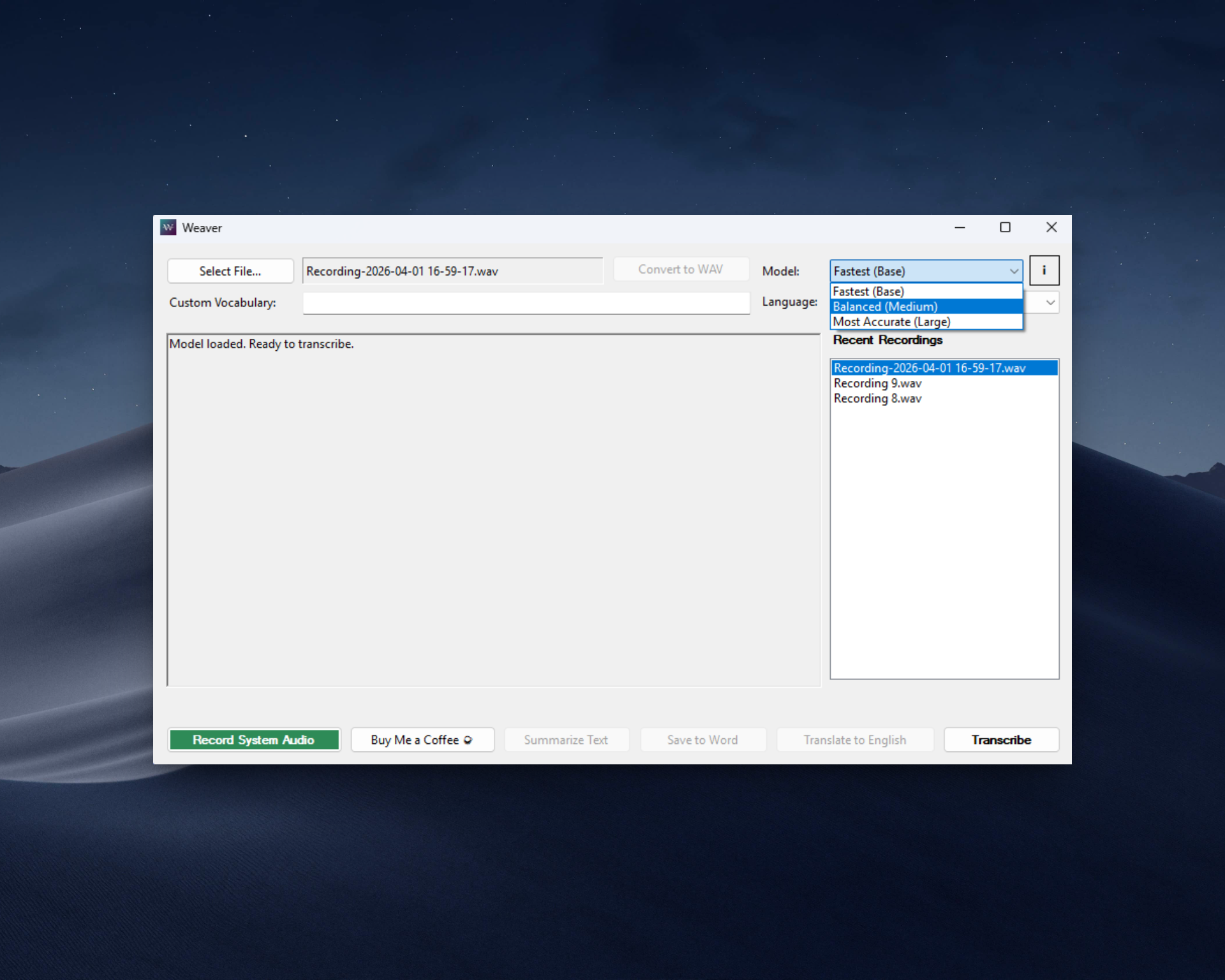
Weaver v2.0 Dashboard — Dark Mode

Privacy-First, by Design

Weaver was built for professionals who handle sensitive data — journalists, lawyers, doctors, researchers. Unlike cloud-based AI tools that upload your recordings to external servers, Weaver processes every second of audio locally on your machine using offline Whisper models and a local LLM. Your audio files and transcripts never leave your computer.

What Weaver v2.0 Can Do

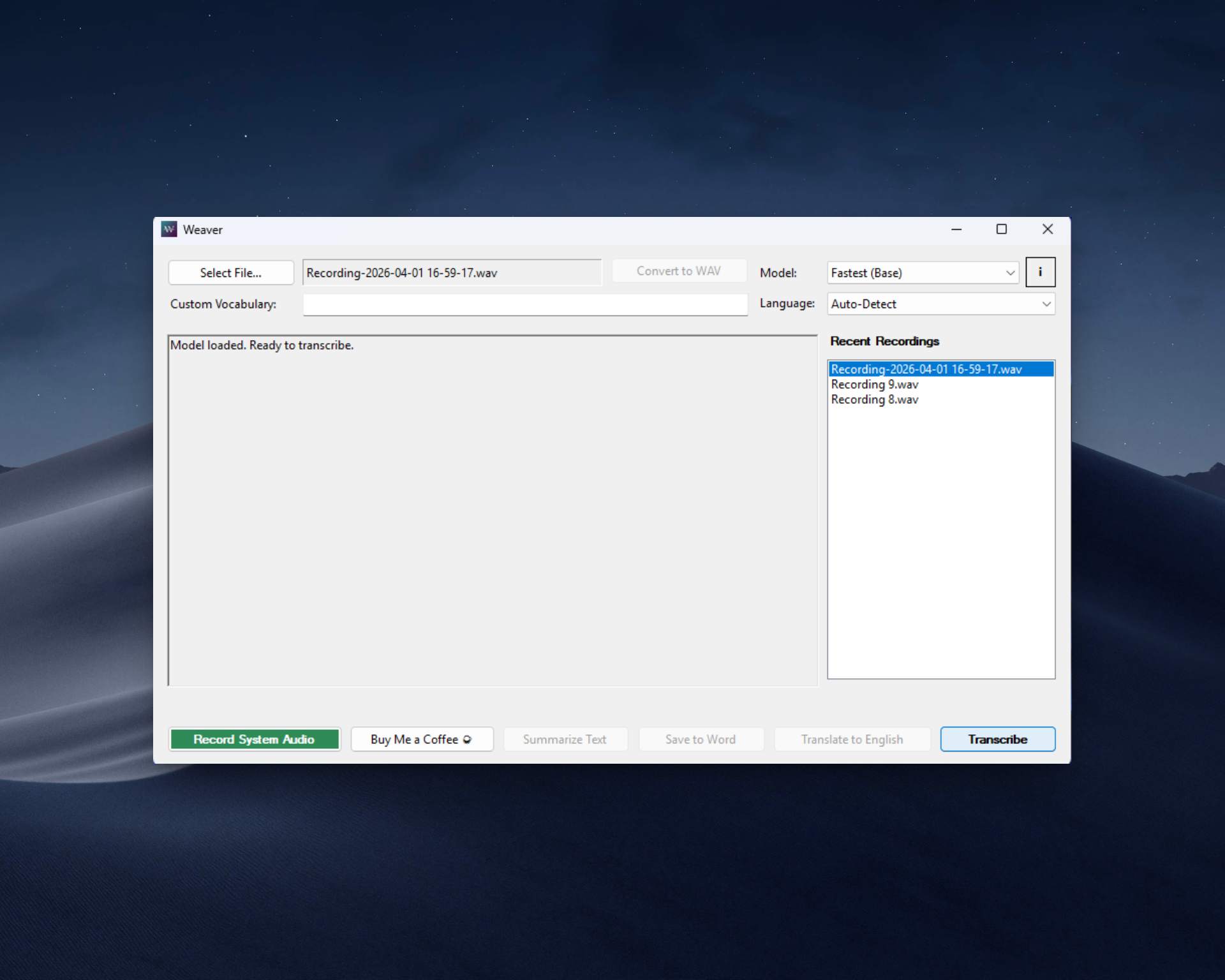
Weaver Audio Recording and Transcription
🔒

100% Offline Engine

Whisper AI + Phi-3 LLM run entirely on your CPU/GPU. Nothing touches the internet after the one-time model download. Safe for legal, medical, and corporate work.

🗣️

Speaker Diarization

Automatically detects and labels different speakers using pause analysis. Optional AI refinement assigns descriptive names like "Dr. Chen (Guest)" — perfect for interviews and meetings.

🧠

AI Summaries

Generate executive summaries, action items, and bullet points from any transcript — all powered by a local offline LLM. No cloud APIs, no token costs.

🎨

Dark & Light Themes

Beautiful modern UI with dark mode by default. Toggle to light mode anytime. Rounded buttons, smooth layout, and clean typography throughout.

📄

Multi-Format Export

Save transcripts as Word (DOCX), plain text (TXT), or SRT subtitles — with accurate timestamps and speaker labels preserved in every format.

🔄

Universal Converter

Drag-and-drop MP4, MP3, MOV, M4A, or WAV files. Weaver auto-converts any media to high-fidelity 16kHz WAV for optimal transcription accuracy.

⌨️

Keyboard Shortcuts

Ctrl+O to open, Ctrl+T to transcribe, Ctrl+R to record. Export with Ctrl+Shift+S/W/E for Word/TXT/SRT. Power-user workflow built in.

🔴

System Audio Recording

Capture any audio playing through your speakers — Zoom calls, podcasts, webinars. Auto silence detection prevents empty recordings.

♾️

Lifetime License

Pay once. Own forever. No monthly "AI tax." All v2.x updates included free for lifetime license holders.

What's Coming Next

Buying a Lifetime License today locks in your price and guarantees you receive all upcoming features for free.

📦

Batch Processing

Drop a folder of audio or video files and let Weaver process them all sequentially in the background — ideal for large archives.

🌐

Expanded Languages

Adding highly optimized models for German, French, Spanish, Mandarin, Portuguese, Arabic, and more.

🎙️

Microphone Recording

Direct microphone input alongside system audio capture — perfect for in-person meetings and dictation.

💻

Mac & Linux Support

Bringing Weaver's offline AI engine natively to macOS (Apple Silicon) and Linux distributions.

Already shipped in v2.0: Speaker Diarization, AI Speaker Refinement, Dark/Light Themes, TXT/SRT Export, Keyboard Shortcuts, Drag & Drop, Real-time Progress Bar, and Settings Persistence.

Simple, Fair Pricing

Lifetime License — v2.0

R399 R299

One-time payment. All v2.x updates included.

  • Unlimited Transcriptions
  • Speaker Diarization + AI Refinement
  • Offline AI Summaries (Phi-3)
  • Dark & Light Themes
  • Export to Word, TXT & SRT
  • Built-in Media Converter
  • System Audio Recording
  • Keyboard Shortcuts & Drag-and-Drop
  • Hardware GPU Acceleration
  • 100% Offline — No Cloud
Buy Lifetime License

Secure checkout via Lemon Squeezy

💻 System Requirements

Minimum: Windows 10/11 (64-bit)
8GB RAM
Intel i5 / Ryzen 5
8GB Disk Space
Recommended: 16GB RAM
Dedicated GPU (NVIDIA/AMD)
SSD Storage
12GB Disk Space

*Note on Offline Use: An internet connection is required on first launch for license activation and a one-time download of the AI models (~2-3 GB). After setup, Weaver runs 100% offline.

❓ Frequently Asked Questions

What's new in Weaver v2.0?
v2.0 is a massive update: speaker diarization with AI refinement, dark/light themes, TXT and SRT export, keyboard shortcuts, drag-and-drop, a real-time progress bar, settings persistence, and a completely redesigned modern UI with rounded buttons.
How does speaker diarization work offline?
Weaver uses pause-based analysis to detect speaker changes (≥1.5 seconds of silence = new speaker). You can optionally run AI refinement using the local Phi-3 model, which reads the conversation context and assigns descriptive names like "Interviewer" or "Dr. Smith." Everything runs locally.
If my computer dies, do I lose my license?
No. Your license key is managed securely by Lemon Squeezy. If you buy a new PC or reinstall Windows, use your existing key to activate Weaver on the new machine.
Are my transcripts backed up to the cloud?
No. Weaver is strictly privacy-first. Your audio and text files exist solely on your local hard drive. It is your responsibility to back them up (e.g., to an encrypted external drive or secure company server) just like any other sensitive document.
Can I edit the transcript before exporting?
Yes! The transcript editor is fully editable. You can correct any mistakes, rename speakers, or add notes before exporting to Word, TXT, or SRT.